Images for your game

How to ask for pictures that fit together, cut out cleanly, and look right on the screen.

Copy the words under a card and paste them to your AI, replacing anything in [brackets] with your own.

Asking for images

Your game's pictures are its look. A few habits make them work together.

One style for everything

Characters, objects, buttons, and backgrounds should look like they belong to the same game.

Decide the style once, for example "bold cartoon with thick dark outlines" or "soft watercolor", and ask for every new picture in that style. The easiest way is to point at a picture you already like: the agent can match it.

Ask your AI

Make every new image in the same art style as the player character.
No box around objects

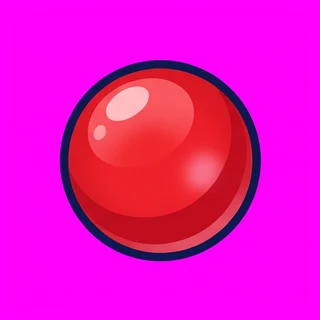
An object on screen needs a transparent background, or it appears inside a colored square.

No box around objects: As drawn As drawn
No box around objects: As saved As saved

Many image generators cannot make real transparency. The reliable way is to draw the object on one flat color it does not use, such as bright magenta, and have that color removed when the image is saved. Minimo does the removal for the agent.

Ask your AI

Draw each object on a flat magenta background and remove the background when you save it.

Many objects in one picture

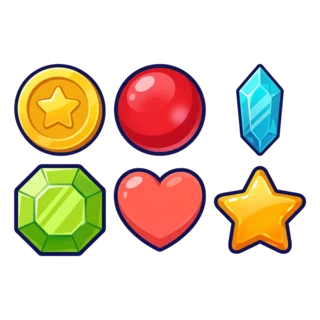
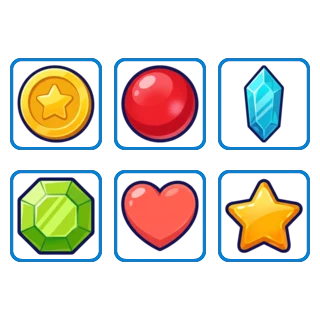
Asking for a set of objects in one picture keeps their style identical, and Minimo can split them apart.

Many objects in one picture: One sheet One sheet
Many objects in one picture: Six images Six images

A sprite sheet is one image with several separate objects on it. Leave space between them so none touch. When it is saved, Minimo finds each object and saves it as its own image, in reading order: left to right, top to bottom.

Ask your AI

Draw all the collectibles on one sprite sheet with space between them, then split it into separate images.

The right size

A Minimo game is usually 720 pixels wide and 1280 tall, the shape of a phone held upright.

A picture much bigger than it appears on screen only makes the game slower to load, and one much smaller looks blurry. Ask for each image close to the size it is shown at. Every image must also stay under 3 MB and 4096 pixels on each side.

Ask your AI

Make each image close to the size it is shown at in the game, on a 720 by 1280 screen.

Backgrounds are scenery

A background is the place, not the interface.

If the score, buttons, or title are painted into the background, they cannot change, move, or react. Ask for the background as pure scenery, planned around where the action happens, and let the game draw everything else on top.

See Backgrounds
Ask your AI

Paint the background as scenery only, with no buttons, score, or text, and leave open space where the player moves.

Your own images

You can always add pictures yourself.

Upload an image

For a drawing of your own, or when your AI cannot send images to Minimo.

Where to find it
  1. My Games
  2. your game
  3. Open in Studio
  4. Assets
  5. Upload

You can drop the file straight onto the Assets page. Images must be PNG, JPEG, or WebP, under 3 MB. Then tell your AI which image you added.

Ask your AI

I uploaded the image "player" to the game; use it for the player character.